Search This Blog

Showing posts with label Hệ Điều Hành. Show all posts

Sunday, September 19, 2010

Linux Thin Client Networks Design and Deployment: A quick guide for System Administrators


Written by an experienced Linux thin client network designer and implementer, this book for System Administrators covers the concepts of thin client networks and design issues for implementations of various sizes, followed by step-by-step HOW-TOs for all elements of implementing a thin client network based on open-source software. A thin, or lean client network is a client-server architecture where client computers depend primarily on a central server for processing activities. The thin clients focus on passing input to remote services and receiving and displaying the output; thin clients aren't as much about the hardware or software as about the design. With all the information you need to understand how the technology works, this book will help you evaluate how a Linux thin client network fits into your organization and make informed choices on the hardware and software needed to design and implement a stable work environment that meets the needs of your organization, large or small.

Download from
: Ziddu | Hotfile

Monday, July 5, 2010

Ubuntu Kung Fu: Tips, Tricks, Hints, and Hacks

Ubuntu builds on a solid base of Debian Linux to create an award-winning operating system that's light-years ahead of its competitors. Ubuntu consistently tops lists of the most popular Linuxes amongst professionals and enthusiasts; Dell recently embraced Ubuntu in its product lines after a user survey indicated overwhelming public support. `Ubuntu Kung Fu` provides hints, hacks, tweaks and tricks for every level of user. Guaranteed to be free of the usual dross that fills tips books, `Ubuntu Kung Fu` is written to be entertaining and, above all, readable. Its 300+ concise tips utilize and exploit hidden or lesser-known features to boost day-to-day productivity. You'll also find tips on tweaking Ubuntu, wrangling the system into shape, optimizing, enhancing security, and lots more. Learn what extraordinary things can be done with Ubuntu. Written with the migrating Windows or Mac OS X user in mind, `Ubuntu Kung Fu` avoids the usual Linux/Unix folklore that can send most of us to sleep. The tips have one aim--to produce results as quickly as possible, in an environment where the reader can polish their skills as they read. This is the Linux book for the rest of us.
Download from: Ziddu | Hotfile | Mediafire

Sunday, June 6, 2010

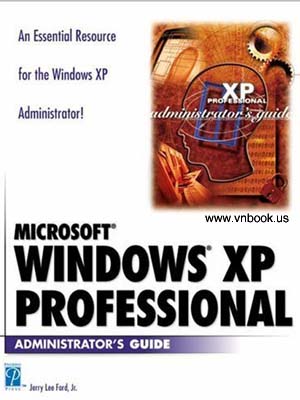
Microsoft Windows Xp Professional Administrator's Guide

Windows XP Professional is Microsoft's new business operating system. It differs from the home version in that XP Professional contains features such as: remote installation service and desktop, Windows server domain support, access control, multi-lingual user interface and SMP support. The Administrator's Guide will help you maximize your computer system capabilities. It provides instructions for performing a fresh installation, as well as instruction on upgrading from a previous version of Windows. You will find this book to be very procedure-oriented focusing on administrative tasks--the complete reference for administering Windows XP Professional.
Download from: Ziddu | Hotfile | Mediafire

Wednesday, May 26, 2010

Windows 7 Secrets

Tips, tricks, treats, and secrets revealed on the latest operating system from Microsoft: Windows 7

You already know the ups and downs of Windows Vista-now it's time to learn the ins and outs of Windows 7! Internationally recognized Windows experts, Microsoft insiders, and authors Paul Thurrott and Rafael Rivera cut through the hype to pull away the curtain and reveal useful information not found anywhere else. Regardless of your level of knowledge, you'll discover little-known facts on how things work, what's new and different, and how you can modify Windows 7 to meet your own specific needs.

A witty, conversational tone tells you what you need to know to go from Windows user to Windows expert and doesn't waste time with basic computer topics while point-by-point comparisons demonstrate the difference between Windows 7 features and functionality to those in Windows XP and Vista.

  • Windows 7 is the exciting update to Microsoft's operating system
  • Authors are internationally known Windows experts and Microsoft insiders
  • Exposes tips, tricks, and secrets on the new features and functionality of Windows 7
  • Reveals best practices for customizing the system to work for you
  • Investigates the differences between Windows 7 and previous versions of Windows

No need to whisper! Window 7 Secrets is the ultimate insider's guide to Microsoft's most exciting Windows version in years.
Download from: Ziddu | Hotfile | Mediafire

Monday, May 24, 2010

Mac OS X Snow Leopard: The Missing Manual

For a company that promised to "put a pause on new features," Apple sure has been busy-there's barely a feature left untouched in Mac OS X 10.6 "Snow Leopard." There's more speed, more polish, more refinement-but still no manual. Fortunately, David Pogue is back, with the humor and expertise that have made this the #1 bestselling Mac book for eight years straight. You get all the answers with jargon-free introductions to:

  • Big-ticket changes. A 64-bit overhaul. Faster everything. A rewritten Finder. Microsoft Exchange compatibility. All-new QuickTime Player. If Apple wrote it, this book covers it.
  • Snow Leopard Spots. This book demystifies the hundreds of smaller enhancements, too, in all 50 programs that come with the Mac: Safari, Mail, iChat, Preview, Time Machine.
  • Shortcuts. This must be the tippiest, trickiest Mac book ever written. Undocumented surprises await on every page.
  • Power usage. Security, networking, build-your-own Services, file sharing with Windows, even Mac OS X's Unix chassis-this one witty, expert guide makes it all crystal clear.
    Download from: Mediafire | Hotfile

Tuesday, May 18, 2010

Ubuntu: The Complete Reference

Maximize the powerful features of Ubuntu with expert guidance, tips, and techniques from bestselling Linux author Richard Petersen. Packed with clear explanations and detailed examples, this comprehensive volume shows you how to get off the ground with Ubuntu, set up hardware and Internet connections, and use the latest system and network administration utilities.
Ubuntu: The Complete Reference covers the desktops, shells, and administration tools for users, printers, services, and networks. Get full details on the latest Ubuntu-compatible office, mail, Web, and multimedia software, along with remote access (Vinagre), virtualization (KVM and Xen) and service managment (Upstart).You'll also learn how to interoperate with Windows networks and deploy reliable security using PolicyKit, Seahorse, AppArmor, SELinux, netfilter, and the Secure Shell.
Download from
: Mediafire | Hotfile

Monday, May 17, 2010

Microsoft Windows 7 Your Way: Speed Up and Customize Windows

Want to make Windows 7 run faster, smarter, easier, better? Want to personalize Windows to look and act the way you want it to? Want to get
more efficient and ditch all those Windows hassles? You don’t need
a Ph.D in computer science or expensive upgrades. All you need is this book!
Michael Miller makes it easy to tweak Windows so it works just like you
want it to–and runs smooth as silk for years to come. No extreme hacking required: These are simple, step-by-step techniques anyone can perform in minutes–even beginners!
DOWNLOAD:
Link hotfile
Link mediafire

Friday, May 14, 2010

Ubuntu Unleashed 2010 Edition: Covering 9.10 and 10.4, 5th Edition

Ubuntu Unleashed 2010 Edition presents comprehensive coverage of the popular Ubuntu Linux distribution. Windows users, Mac users, and Linux enthusiasts have been increasingly turning to Ubuntu for a user-friendly, easy-to-use Linux distribution.

This book provides detailed information on installing, using, and administering Ubuntu. You will learn how to set up a workstation or a server, and you will find complete details on Ubuntu’s easy-to-use desktop and productivity software.

Ubuntu Unleashed 2010 Edition includes a range of coverage: From the software you need in your everyday work, such as the OpenOffice.org productivity suite, to how to configure your Linux desktop to run smoothly using multiple printers, shell scripts, and more.

For the hardcore Linux enthusiast, there is complete coverage of the

X Window system, Linux programming, web server administration, and network administration.

DOWNLOAD:
Link hotfile
Link mediafire

Mastering UNIX Shell Scripting

* Provides readers with end-to-end shell scripts that can be used to automate repetitive tasks and solve real-world system administration problems
* Targets the specific command structure for four popular UNIX systems: Solaris, Linux, AIX, and HP-UX
* Illustrates dozens of example tasks, presenting the proper command syntax and analyzing the performance gain or loss using various control structure techniques
* Web site includes all the shell scripts used in the book
DOWNLOAD:
Link hotfile
Link mediafire

Thursday, May 13, 2010

Microsoft Windows Server 2008 R2 Administration Instant Reference

All your Windows Server 2008 R2 questions answered—on the spot! Get up to speed on the new features of Windows Server 2008 R2 with this indispensableguide. Designed for busy IT professionals, it's the perfect go-to resource for quick answers and real-world solutions as you administer the new server OS. You'll find easy-to-read lists, quick-reference tables, helpful thumb tabs, and much more in a handy, compact format that puts the information you need at your fingertips.
DOWNLOAD:
Link hotfile
Link mediafire

Windows Server 2008 Inside Out

Conquer Windows Server 2008—from the inside out!Learn how to conquer Windows Server 2008—from the inside out! Designed for system administrators, this definitive resource features hundreds of timesaving solutions, expert insights, troubleshooting tips, and workarounds for administering Windows Server 2008—all in concise, fast-answer format. You will learn how to perform upgrades and migrations, automate deployments, implement security features, manage software updates and patches, administer users and accounts, manage Active Directory® directory services, and more. With INSIDE OUT, you’ll discover the best and fastest ways to perform core administrative tasks, with an award-winning format that makes it easy to find exactly the tips, troubleshooting solutions, and workarounds you need. Plus, the companion CD comes packed with a fully searchable eBook and more than 100 timesaving tools and scripts. With INSIDE OUT, you get all muscle and no fluff!
DOWNLOAD:
Link hotfile
Link mediafire

Tuesday, April 20, 2010

Giải mã Windows và Bí mật của phần cứng

Nội dung chủ yếu của Ebook xoay quanh 2 vấn đề luôn được những người yêu thích PC mong mỏi được khám phá là Hệ điều hành Windows XP/Vista và CPU - phần cứng cơ bản của PC. Chúng ta có thể điểm qua một số chương mục rất đáng được chú ý như: Dọn sạch những rắc rối của Windows, quản lý Windows trong tầm tay, giải mã Windows Vista sau 30 ngày thử nghiệm …
- Đây là cuốn Ebook tổng hợp các bài viết của elpvn – Hội CĐV bóng đá xứ Nghệ biên dịch theo nguồn của PCWorld cùng một số nguồn thông tin khác.

DOWNLOAD:
Link hotfile
Link mediafire

Monday, April 12, 2010

Developing WMI Solutions: A Guide to Windows Management Instrumentation

Windows Management Instrumentation (WMI) is a powerful tool built into Windows which enables organizations to manage servers and user PCs connected to their networks. WMI brings the power of managing a Windows network to unprecedented levels. For example, through WMI an administrator can easily write a script that will identify what service packs have been installed on all the machines in the network. WMI is extremely complicated, however, and difficult to understand. This book is written to provide a thorough understanding of how WMI works, as well as being a handy reference to how to use WMI to its fullest potential. System administrators will learn to develop scripts through WMI to access and manipulate their network. Developers will learn how they can use and access the WMI through both the COM interface and the .NET framework.

From the Author
Many applications written for Windows currently don’t harness the power of a systems management technology (like WMI); this is what drove us to write this book. We want developers to realize that making an application manageable is a key benefit, especially to system administrators. Once system administrators and IT support departments realize what can be done with WMI, they will start demanding that applications expose WMI management interfaces. Not only will system administrators by happy, but you’ll be able to harvest a wealth of information available from WMI when building your own management applications. The other side of the coin apart from making an application manageable is a ‘management application’. A management application is a program (like an MMC snap-in) or web interface that can interact with the system to gather, inspect and manipulate the systems functionality or configuration. We also want system administrators to realize what they can do in a system equipped with a technology like WMI and how they should go about automating routine tasks. For instance, a system administrator can easily write a script that will identify what Windows service packs have been installed on all the machines in the network.
DOWNLOAD:
Link hotfile
Link mediafire

Thursday, April 8, 2010

Windows 7: The Missing Manual

In early reviews, geeks raved about Windows 7. But if you're an ordinary mortal, learning what this new system is all about will be challenging. Fear not: David Pogue's Windows 7: The Missing Manual comes to the rescue. Like its predecessors, this book illuminates its subject with reader-friendly insight, plenty of wit, and hardnosed objectivity for beginners as well as veteran PC users.

Windows 7 fixes many of Vista's most painful shortcomings. It's speedier, has fewer intrusive and nagging screens, and is more compatible with peripherals. Plus, Windows 7 introduces a slew of new features, including better organization tools, easier WiFi connections and home networking setup, and even touchscreen computing for those lucky enough to own the latest hardware.

With this book, you'll learn how to:
Navigate the desktop, including the fast and powerful search function
Take advantage of Window's apps and gadgets, and tap into 40 free programs
Breeze the Web with Internet Explorer 8, and learn the email, chat, and videoconferencing programs
Record TV and radio, display photos, play music, and record any of these to DVD using the Media Center
Use your printer, fax, laptop, tablet PC, or smartphone with Windows 7
Beef up your system and back up your files
Collaborate and share documents and other files by setting up a workgroup network

About the Author
David Pogue, Yale '85, is the weekly personal-technology columnist for the New York Times and an Emmy award-winning tech correspondent for CBS News. His funny tech videos appear weekly on CNBC. And with 3 million books in print, he is also one of the world's bestselling how- to authors. In 1999, he launched his own series of amusing, practical, and user-friendly computer books called Missing Manuals, which now includes 100 titles.
DOWNLOAD:
Link hotfile
Link mediafire

Sunday, March 21, 2010

Windows System Programming

“If you’re writing a native Win32 program or just want to know what the OS is really doing underneath, you need John’s book. He covers the stuff that real systems programmers absolutely must know. Recommended.”

–Chris Sells, Microsoft Corporation

“This fourth edition does a great job of incorporating new features in the Vista, Windows 2008, and Windows 7 API, but also stays true to teaching the foundational elements of building applications that target the Windows OS.”

–Jason Beres, Product Management, Infragistics

The Definitive Guide to Windows API Programming, Fully Updated for Windows 7, Windows Server 2008, and Windows Vista

Windows System Programming, Fourth Edition, now contains extensive new coverage of 64-bit programming, parallelism, multicore systems, and many other crucial topics. Johnson Hart’s robust code examples have been updated and streamlined throughout. They have been debugged and tested in both 32-bit and 64-bit versions, on single and multiprocessor systems, and under Windows 7, Vista, Server 2008, and Windows XP. To clarify program operation, sample programs are now illustrated with dozens of screenshots.

Hart systematically covers Windows externals at the API level, presenting practical coverage of all the services Windows programmers need, and emphasizing how Windows functions actually behave and interact in real-world applications. Hart begins with features used in single-process applications and gradually progresses to more sophisticated functions and multithreaded environments. Topics covered include file systems, memory management, exceptions, processes, threads, synchronization, interprocess communication, Windows services, and security.

New coverage in this edition includes

* Leveraging parallelism and maximizing performance in multicore systems
* Promoting source code portability and application interoperability across Windows, Linux, and UNIX
* Using 64-bit address spaces and ensuring 64-bit/32-bit portability
* Improving performance and scalability using threads, thread pools, and completion ports
* Techniques to improve program reliability and performance in all systems
* Windows performance-enhancing API features available starting with Windows Vista, such as slim reader/writer locks and condition variables

A companion Web site, jmhartsoftware.com, contains all sample code, Visual Studio projects, additional examples, errata, reader comments, and Windows commentary and discussion.
DOWNLOAD
Link hotfile
Link mediafire

Tuesday, March 16, 2010

A Practical Guide to Ubuntu Linux

The Most Complete, Easy-to-Understand, and Useful Guide to Ubuntu Linux Desktops and Servers

Ubuntu Linux is a state-of-the-art operating system, and you need a book that’s just as advanced. Along with being the most comprehensive reference to installing, configuring, and working with Ubuntu, A Practical Guide to Ubuntu Linux® also provides extensive server coverage you won’t find in any other Ubuntu book.
Best-selling author Mark Sobell begins by walking you through every feature and technique you need to know, from installing Ubuntu–using the DVD included with the book–to working with GNOME, Samba, exim4, Apache, DNS, NIS, firestarter, and iptables. Sobell’s exceptionally clear explanations demystify everything from system security to Windows file/printer sharing.
Sobell presents full chapters on using Ubuntu from the command line and GUI; thorough system administration and security guidance; and up-to-the-minute, step-by-step instructions for setting up networks and every major type of Internet server. Along the way, you’ll learn both the “hows” and the “whys” of Ubuntu. Sobell knows every Linux nook and cranny: He’s taught hundreds of thousands of readers and never forgets what it’s like to be new to Linux. Whether you’re a user, administrator, or programmer, this book gives you all you need–and more.

This book delivers…
Deeper coverage of the command line and the GNOME GUI, including GUI customization
Coverage of important Ubuntu topics, such as sudo and the new Upstart init daemon
More practical coverage of file sharing with Samba, NFS, and FTP
More detailed, usable coverage of Internet server configuration, including Apache, exim4, and DNS/BIND
More state-of-the-art security techniques, including firewall setup using firestarter and iptables, as well as a full chapter on OpenSSH and an appendix on security
Deeper coverage of “meat-and-potatoes” system and network administration tasks–from managing users to CUPS printing, configuring LANs to building a kernel
A more practical introduction to writing bash shell scripts
Complete instructions on how to keep your Linux system up-to-date using aptitude, Synaptic, and the Software Sources window
And much more...including a 500+ term glossary, five detailed appendixes, and a comprehensive index to help you find what you need fast
DOWNLOAD

Monday, March 8, 2010

Microsoft Windows 7 In Depth

Looking for ways to streamline your work so that you can focus on maximizing your
time? In Depth provides specific, tested, and proven solutions to the problems you run
into every day—things other books ignore or oversimplify. This is the one book that you
can rely on to answer all the questions you have now and will have in the future.

In Depth offers:
* Comprehensive coverage, with detailed solutions
* Breakthrough techniques and shortcuts that are unavailable elsewhere
* Practical, real-world examples with nothing glossed over or left out
* Troubleshooting help for tough problems you can’t fix on your own
* Outstanding authors recognized worldwide for their expertise and teaching style
* Quick information via sidebars, tips, reminders, notes, and warnings
* In Depth is the only tool you need to get more done in less time!

About the Author

Robert Cowart has written more than 40 books that have sold more than 1 million copies worldwide. He made his name writing for Sybex and Osborne, most notably the best-selling Mastering Windows series of books. As an author and media developer for Que, Bob has written numerous Windows titles, including multiple editions of Que’s flagship Windows book, Special Edition Using Microsoft Windows. Bob recently graduated from the California Institute of Integral Studies as a Marriage and Family Therapist Intern (MFTI), starting his private practice as a psychotherapist in Northern California.

Brian Knittel is a software developer, consultant, and writer. He’s authored or coauthored many of Que’s best-selling Windows books, including Que’s leading Windows book, Special Edition Using Microsoft Windows. Brian also is the author of Windows XP Under the Hood and coauthored Upgrading and Repairing Microsoft Windows with Scott Mueller.
DOWNLOAD

Monday, January 18, 2010

Windows XP Unleashed

Windows XP Unleashed guides the advanced reader through nearly every Windows XP topic imaginable giving ideas and solutions practical to typical problems encountered by professionals. Examples of topics covered are:
Installations, use, and maintenance;
Performance tuning;
Optimizing memory;
Detailed registry info;
Pushing hardware profiles to their limits;
XP system tools;
How to build network bridges between Dissimilar operating systems;
Working with compatibility modes to enable older O/S to interact with XP;
Device driver rollback;
Automatic driver update;
Ensuring perfect printing always;
Maximizing XP for the internet, intranet, and security.
DOWNLOAD